
QU – Smart Queue Management for Restaurants
Eliminate waiting lines. Let customers join the queue by scanning a QR code.
The Problem with Traditional Restaurant Queues
Restaurants often struggle to manage customer waiting lines efficiently. Traditional queue systems create confusion, delays, and a poor dining experience for customers during busy hours.
Long Waiting Lines
Customers often wait for long periods without knowing when a table will be available.
Crowded Reception Area
Guests gather around the reception desk, creating chaos and discomfort.
Manual Table Allocation
Staff manually track available tables which leads to confusion and delays.
Poor Customer Experience
Long waiting times and uncertainty negatively affect the overall dining experience.
Meet QU – Smart QR-Based Queue Management
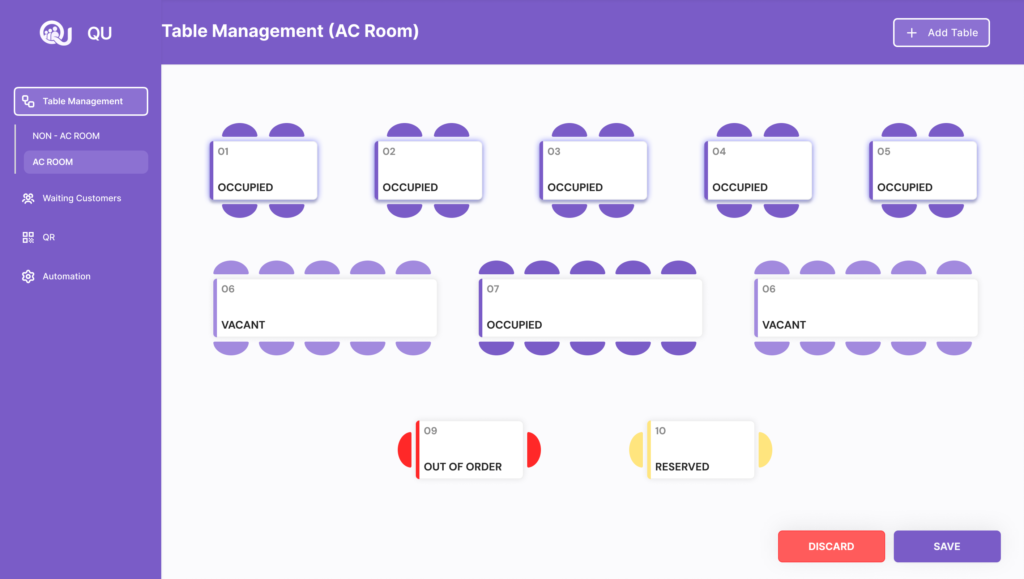
QU transforms the way restaurants manage waiting customers. Instead of standing in long lines, customers simply scan a QR code, join the digital queue, and get notified when their table is ready. Meanwhile, restaurant staff can manage tables, track waiting customers, and allocate seats efficiently through a centralized dashboard.
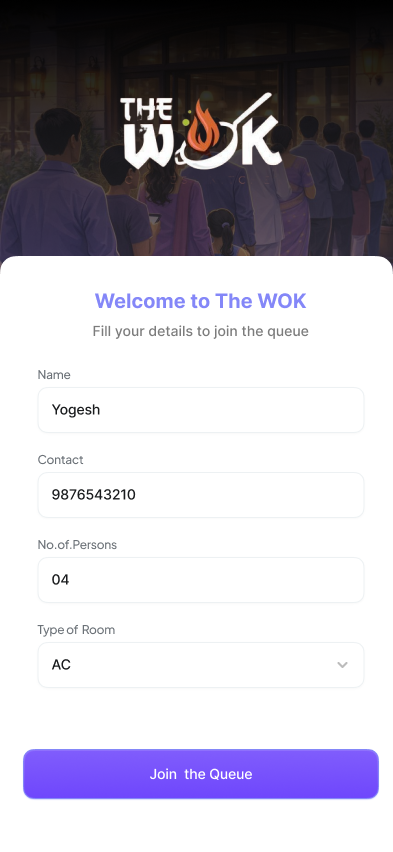
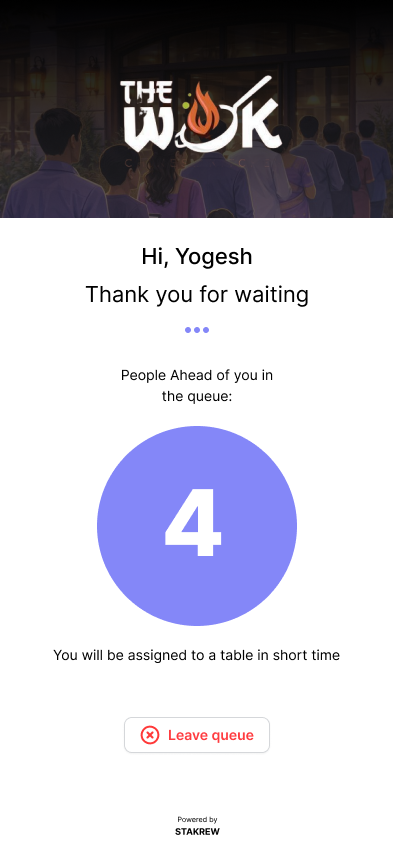
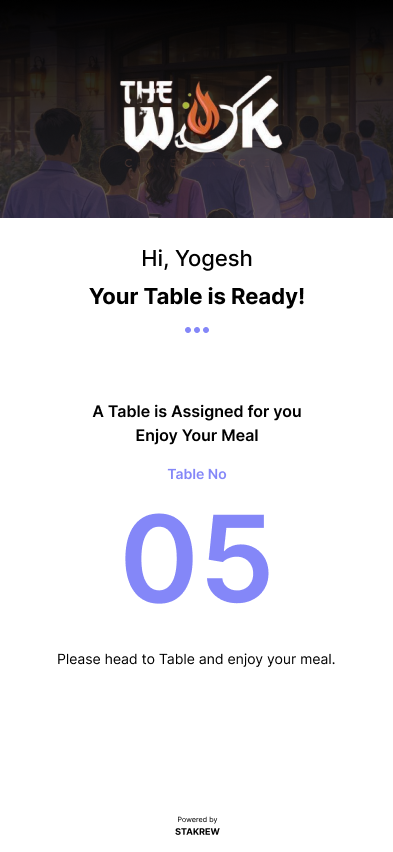
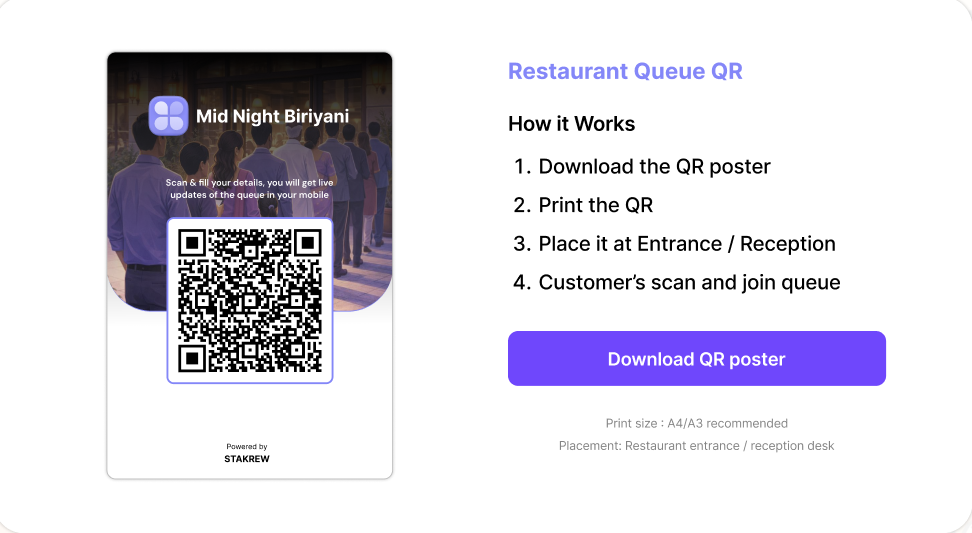
Automated Seat Assignment (Automation Mode)
For restaurants that prefer more control, Automation can be turned off at any time. When disabled, staff can manually manage the queue and assign tables according to their preference. This flexibility allows restaurants to switch between automatic and manual table management depending on their operational needs.
Unlike traditional queue systems that rely entirely on staff to manage seating, QU provides a hybrid approach. Restaurants can use smart automation to improve efficiency while retaining the ability to manually control seating as needed, offering both convenience and flexibility in managing customer flow.
How It Works
No more crowded waiting areas. No more manual tracking. Just a smarter queue system for modern restaurants.
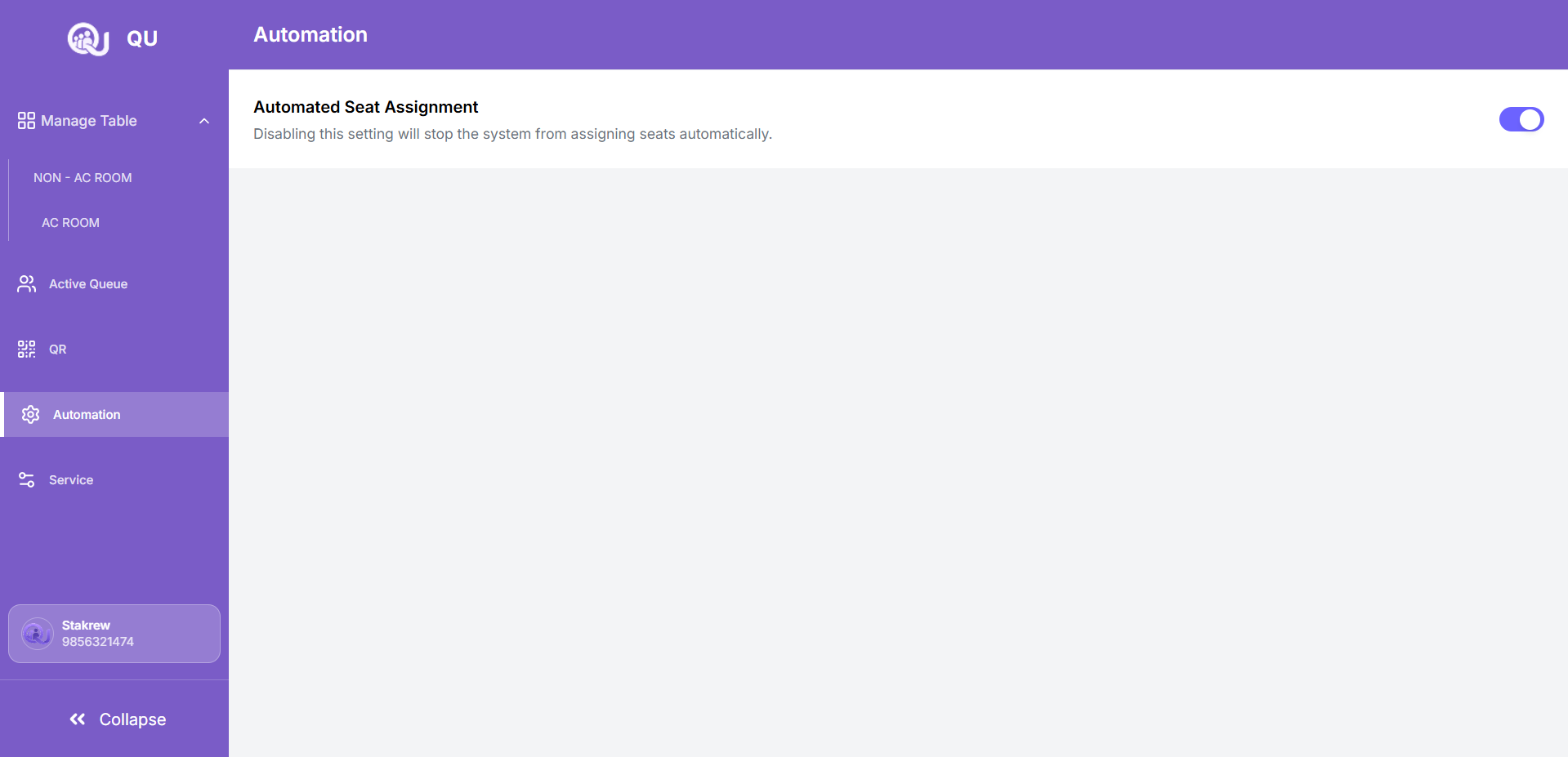
Scan the Restaurant QR Code
Restaurants download a unique QR poster and place it at the entrance or reception. Customers scan the QR code to access the queue system instantly.
Join the Digital Waiting Queue
After scanning, customers enter their basic details and are automatically added to the restaurant's active queue.
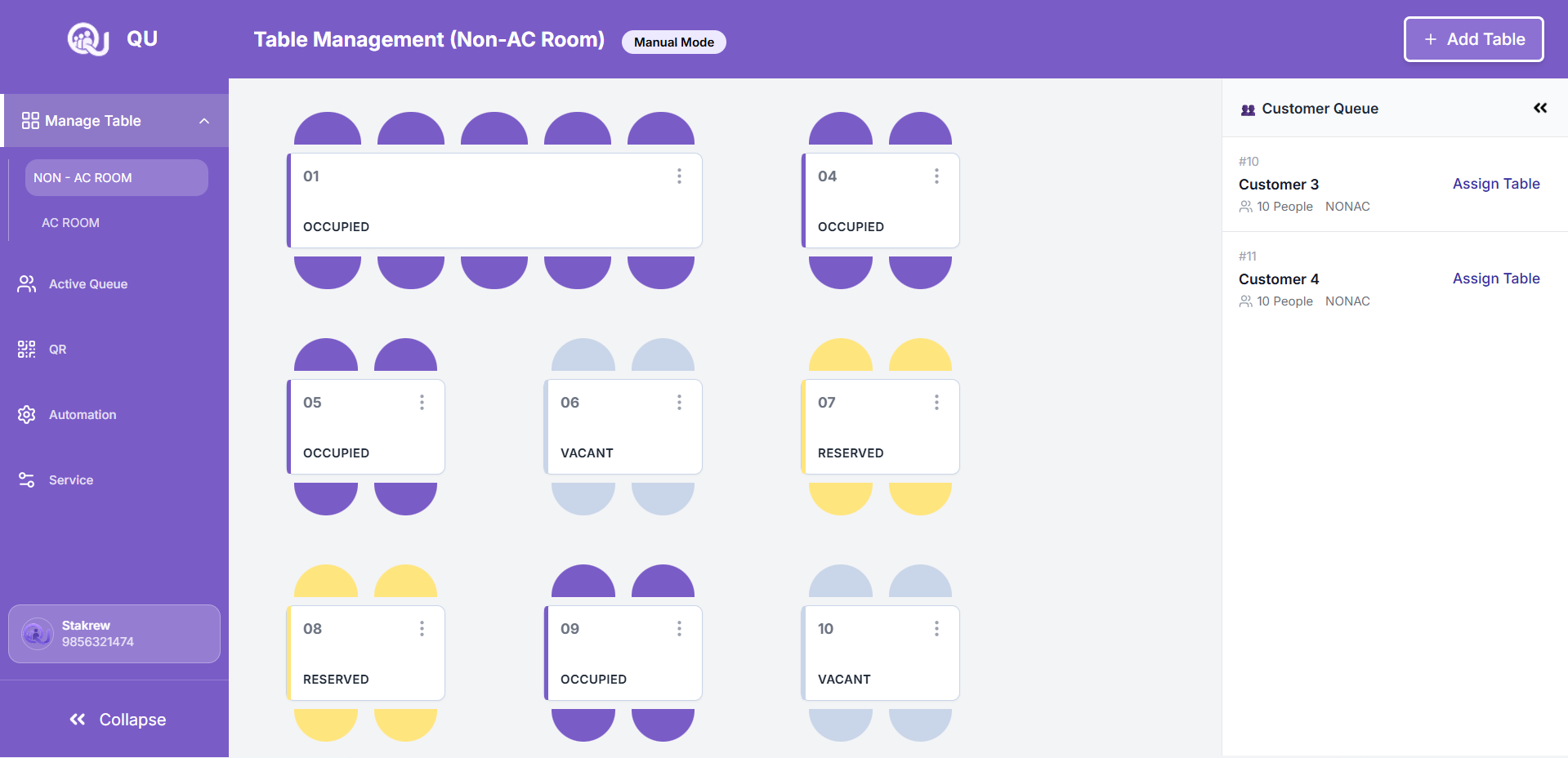
Smart Table Management
Restaurant staff can view all available tables and waiting customers in the dashboard, allowing them to manage seating efficiently.
Why Restaurants Choose QU
QU helps restaurants operate more efficiently by simplifying customer flow, improving seating management, and delivering a smoother dining experience for both staff and guests.
Faster Table Turnover
Optimize seating flow and reduce idle tables so restaurants can serve more customers during peak hours.
Better Customer Satisfaction
Provide a smoother waiting experience where customers stay informed instead of standing in crowded waiting areas.
Organized Restaurant Operations
Keep the front desk and dining areas structured with a clear view of customer flow and seating status.
Increased Staff Productivity
Allow restaurant staff to focus on service and hospitality rather than constantly managing waiting lists.
Scalable for Busy Hours
Handle large customer volumes during weekends or peak dining times without creating chaos at the entrance.
Upcoming Features
We are continuously improving QU to help restaurants manage operations more efficiently. Our upcoming features will expand queue management capabilities and provide deeper insights for better decision-making.
Serving & Shared Dashboard
A centralized dashboard that allows multiple staff members to monitor and manage the queue and table status simultaneously.
Table Sharing
Allow restaurants to assign multiple small groups to the same table when space is available, helping maximize seating capacity.
Split Customers
Handle large groups more efficiently by splitting customers into different available tables when needed.
Any Available Table Assignment
The system allows customers to be allocated to any available table, regardless of whether it is in the AC or Non-AC area.
Estimated Waiting Time
Provide customers with an approximate waiting time based on queue length and table availability.
Analytics & Insights
Detailed analytics to help restaurants understand customer flow, peak hours, and table utilization for better operational planning.
Frequently Asked Questions
Have questions about using QU? Explore our frequently asked questions to learn how the system helps restaurants manage queues, assign tables, and improve customer waiting experiences.
Customers simply scan the QR code placed in the restaurant using their smartphone. After scanning, they can enter their details and instantly join the digital waiting queue.
No. Customers do not need to download or install any application. The queue system works directly through the browser after scanning the QR code.
Yes. Restaurants can organize and manage different dining areas such as AC and Non-AC rooms within the dashboard, making table allocation easier and more structured.
When automation is enabled, the system automatically assigns available tables to customers in the queue based on seating capacity and availability. This helps reduce manual work and speeds up table allocation.
Yes. Each restaurant receives a unique QR code that customers can scan to join that restaurant’s queue.
Yes. If automation is turned off, staff can manually manage the queue and assign tables according to their preference or operational needs.
Yes. QU is designed to handle high customer volumes and helps restaurants manage queues efficiently during peak hours.
Yes. Customers receive a notification when their table has been assigned, allowing them to proceed directly to their seat.